Free
$0
Edit and blur.
Exports carry a centered watermark.
Automatically blur faces and objects in your videos.
Blur every face with the touch of a button or customize each blur’s style, position, and timing on a simple timeline. With BleepFace Pro, you can even blur faces live in camera.
Meet BleepFace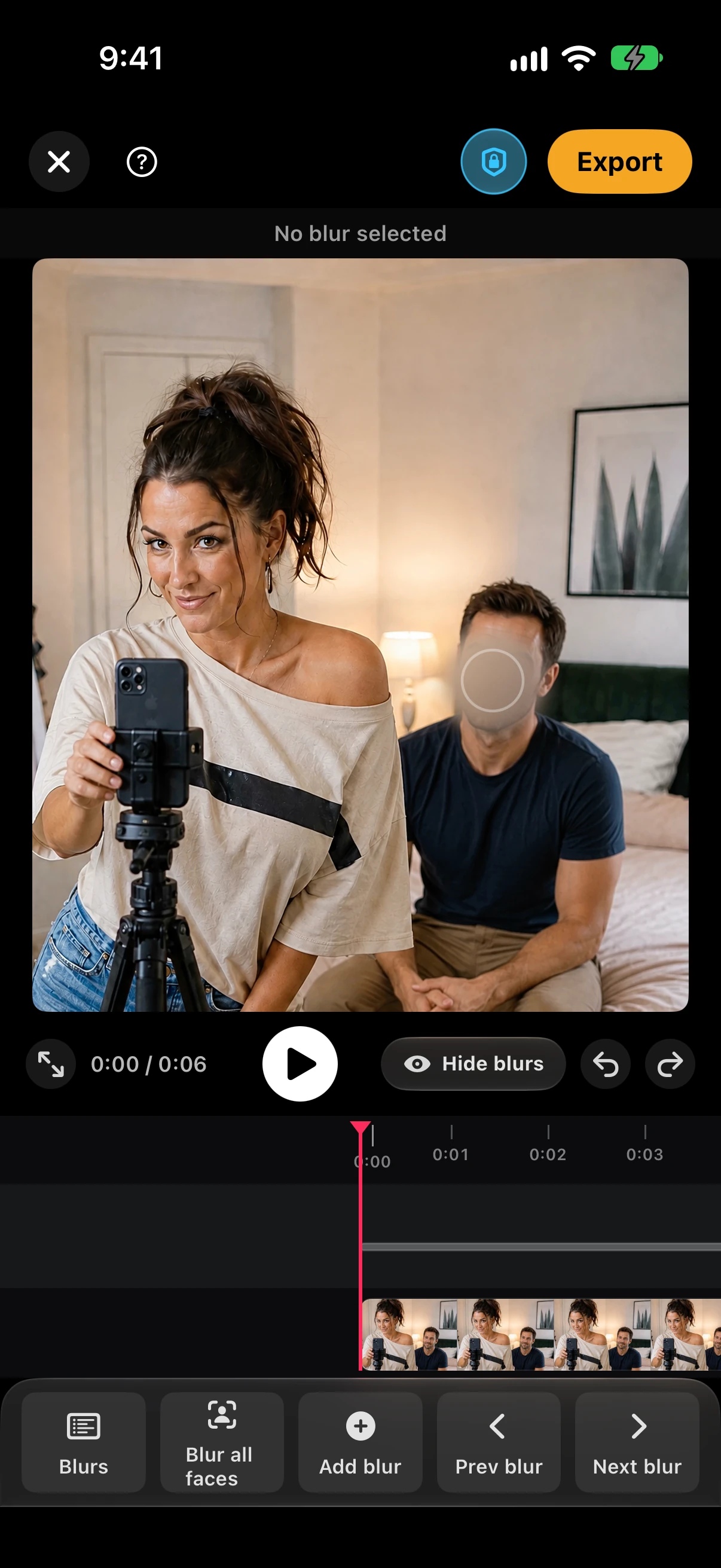


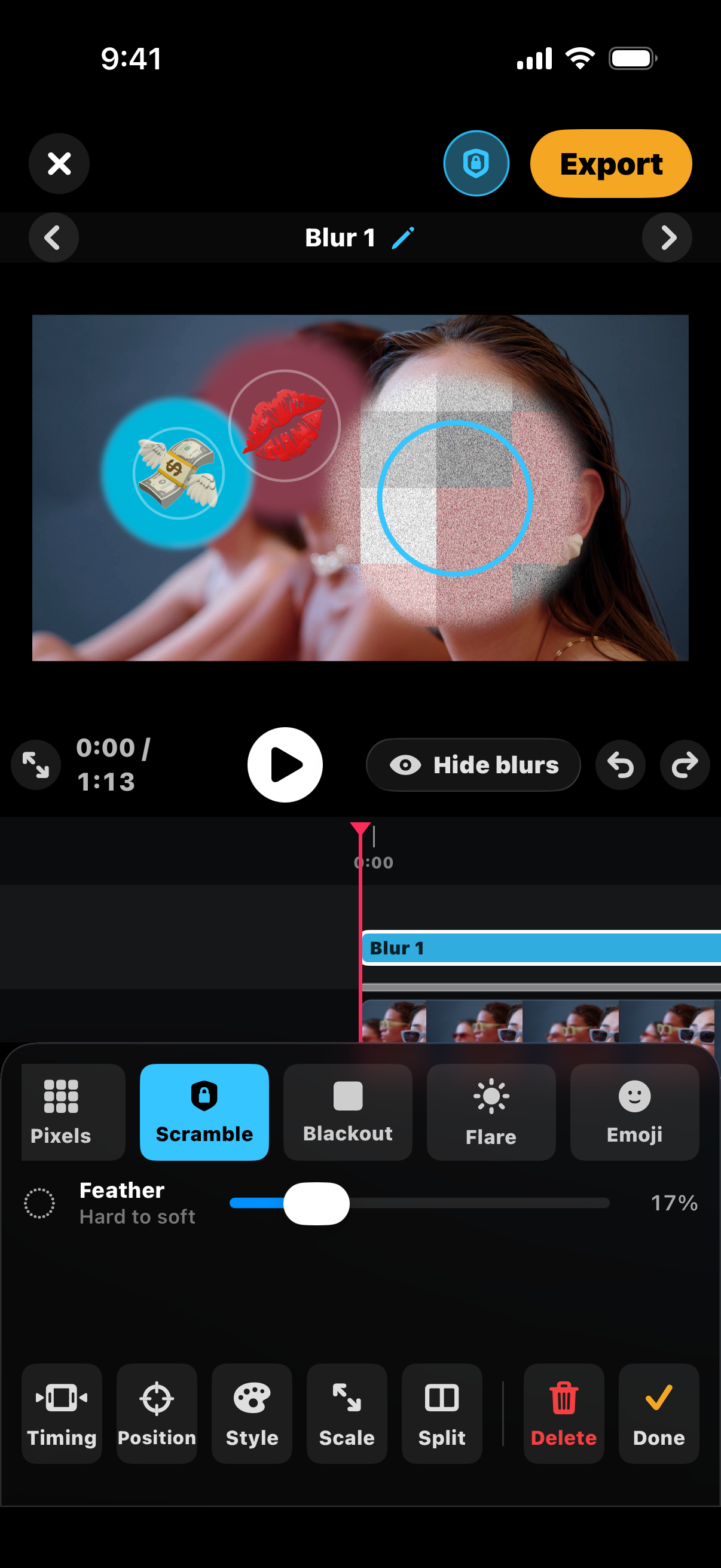
Choose from five cover styles, plus emoji. Change the position or timing with just a few taps.
Blur, Pixels, Scramble, Blackout, and Flare. Plus emoji covers.
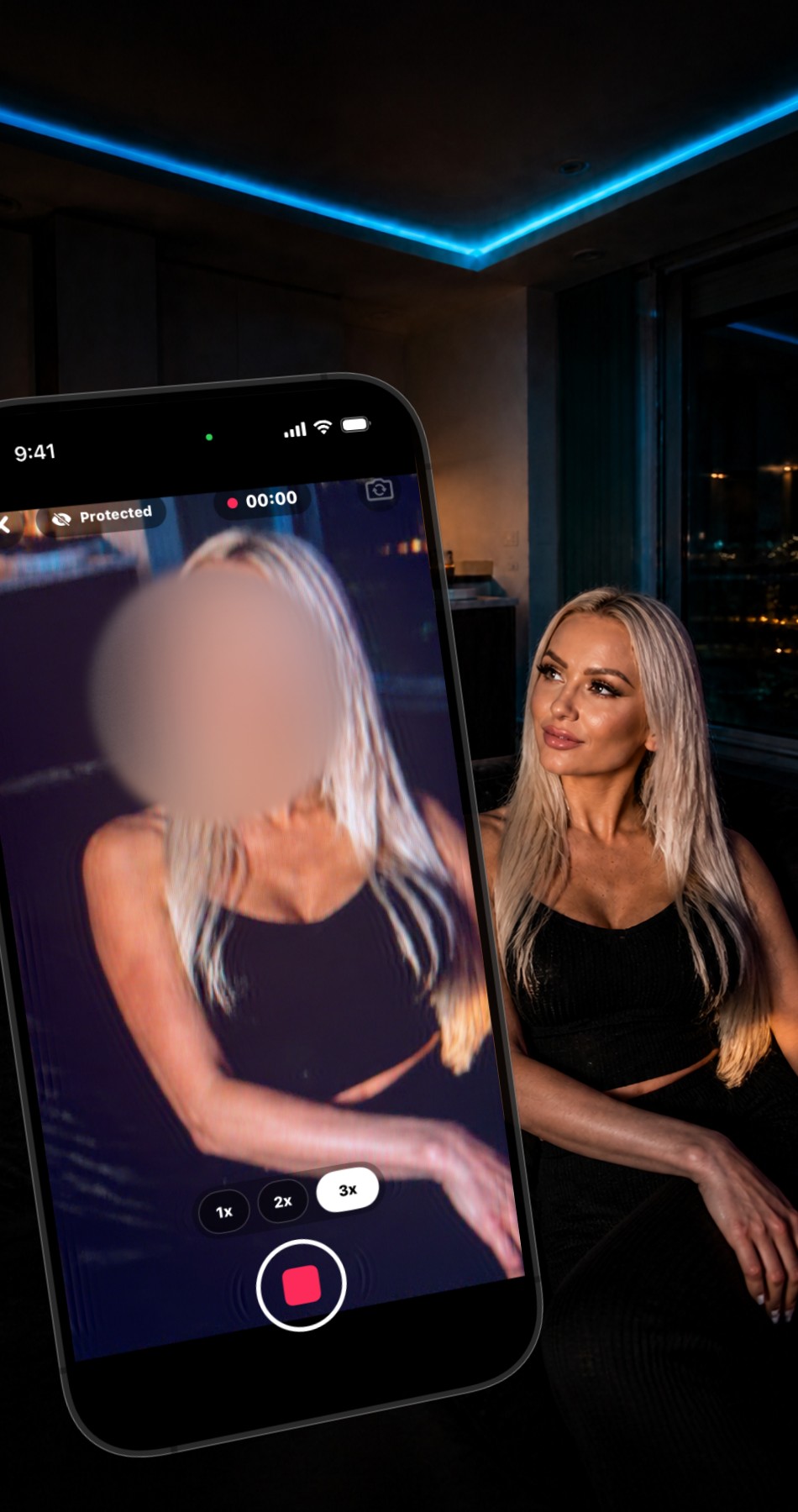
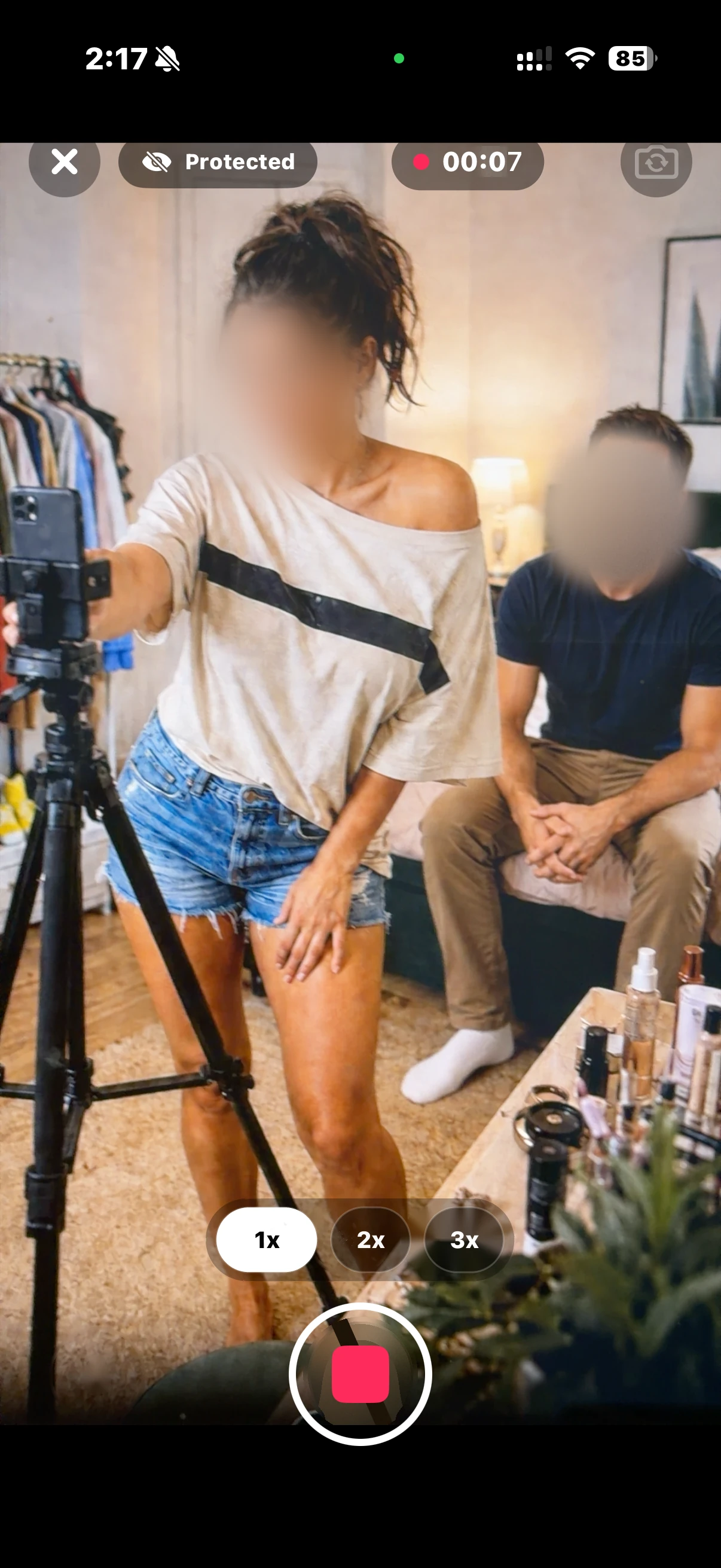
Blur faces while you record with BleepFace Pro. The blurs are automatically baked into your video while you shoot.
BleepFace never uploads your videos to the cloud for processing or storage. Every blur happens on your phone. No one at BleepFace can see your videos.
No uploads. No account. No tracking.
Edit and blur for free.
Upgrade for clean exports and more ways to create.
$0
Edit and blur.
Exports carry a centered watermark.
$1.99/ week
Billed weekly.
$3.99/ month
Billed monthly.
$24.99/ year
7 day free trial for eligible new subscribers, then billed yearly.
$49.99 once
One time purchase.
Clean exports with no watermark. Live camera blur, with Keep clear: pick who stays unblurred and everyone else is blurred as you record. Batch blur and export up to 20 videos at a time. Secure send, a watermarked copy for each person you share with, so a leaked copy can be traced to who had it.
Prices in USD. Subscriptions renew automatically unless canceled. Manage or cancel in your Apple Account settings.

For iPhone. Made for your footage.